09:38:03.681 [main] ERROR o.cryptomator.launcher.Cryptomator - Terminating due to error
java.lang.UnsupportedOperationException: Unable to open DISPLAY
	at javafx.graphics@24.0.1/com.sun.glass.ui.gtk.GtkApplication.<init>(Unknown Source)
	at javafx.graphics@24.0.1/com.sun.glass.ui.gtk.GtkPlatformFactory.createApplication(Unknown Source)
	at javafx.graphics@24.0.1/com.sun.glass.ui.Application.run(Unknown Source)
	at javafx.graphics@24.0.1/com.sun.javafx.tk.quantum.QuantumToolkit.startup(Unknown Source)
	at javafx.graphics@24.0.1/com.sun.javafx.application.PlatformImpl.startup(Unknown Source)
	at javafx.graphics@24.0.1/com.sun.javafx.application.PlatformImpl.startup(Unknown Source)
	at javafx.graphics@24.0.1/com.sun.javafx.application.LauncherImpl.startToolkit(Unknown Source)
	at javafx.graphics@24.0.1/com.sun.javafx.application.LauncherImpl.launchApplication1(Unknown Source)
	at javafx.graphics@24.0.1/com.sun.javafx.application.LauncherImpl.lambda$launchApplication$0(Unknown Source)
	at java.base/java.lang.Thread.run(Unknown Source)
Cryptomator requires a running display manager with an X server or the Xwayland compatiblity layer running. If both are missing, you cannot use the GUI app, but need to use the CLI.
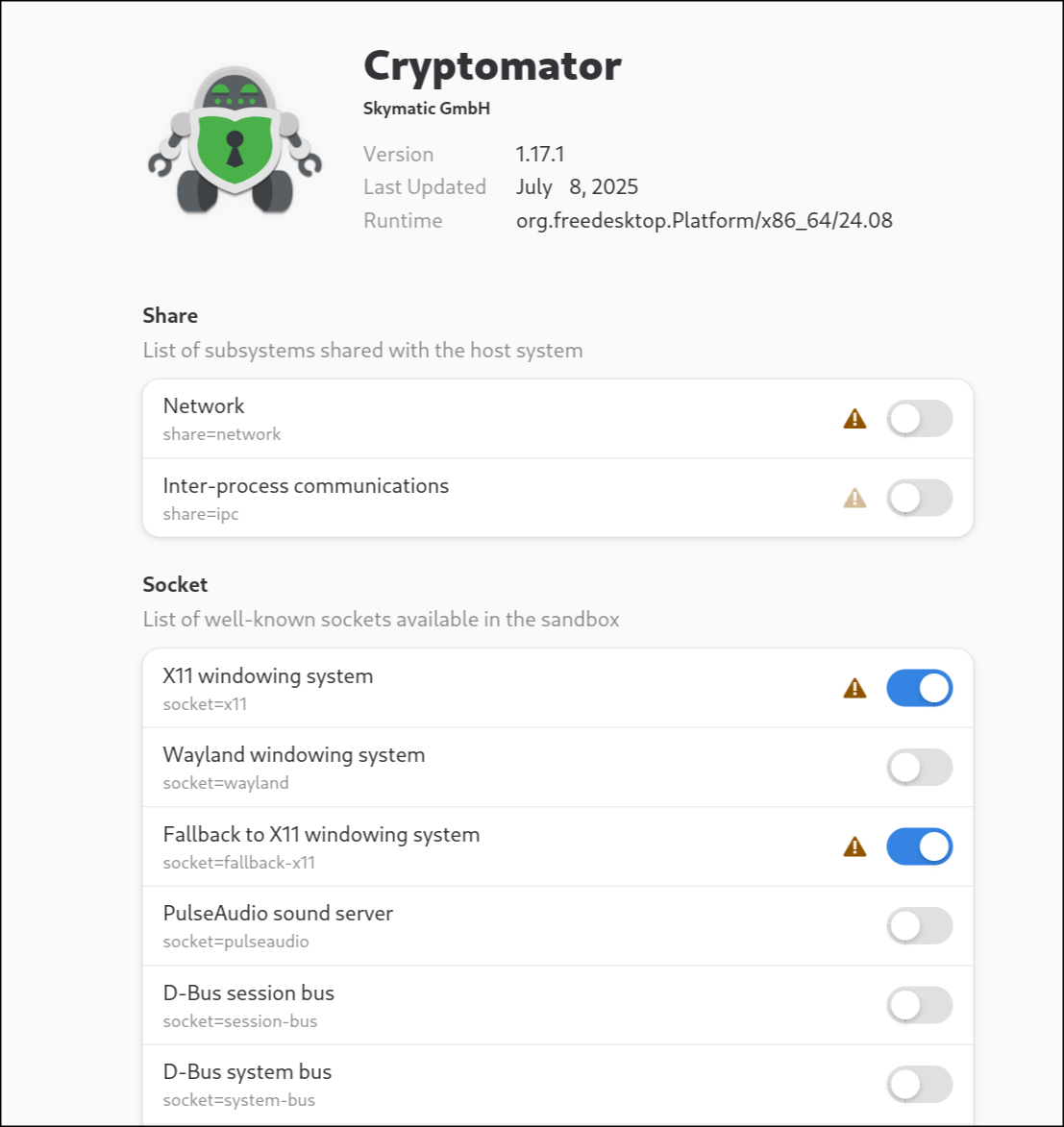
If you give a flatpak application permission to use X11, Wayland and fallback to X11 it won’t fallback to XWayland rather than just crashing.
If you remove Wayland and the fallback permission and only give the X11 permission it starts.
I successfully installed Fedora 42 desktop into a VMware professional virtual machine and updated all the software so I have the same flat pack version that you have and the same version of the software that you have and I created a new Vault and put some files in it unlocked it relocked it did everything I could think of and it’s working normally and it’s a standard install of the OS and cryptomator.
As mentioned from @infeo, cryptomator is built to run on X11.org.
If you use wayland WITHOUT XWayland it will fail.
So its pretty likely you run XWayland in the background.
My problem was that it didn’t use XWayland when I gave it the permission to use Wayland and X11. Only when I removed the permission to use Wayland it successfully worked with XWayland.
Now with that being solved another issue shows up.
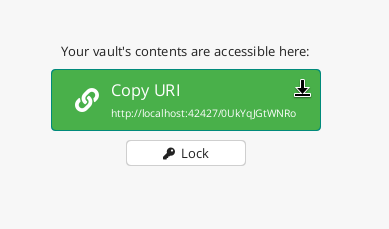
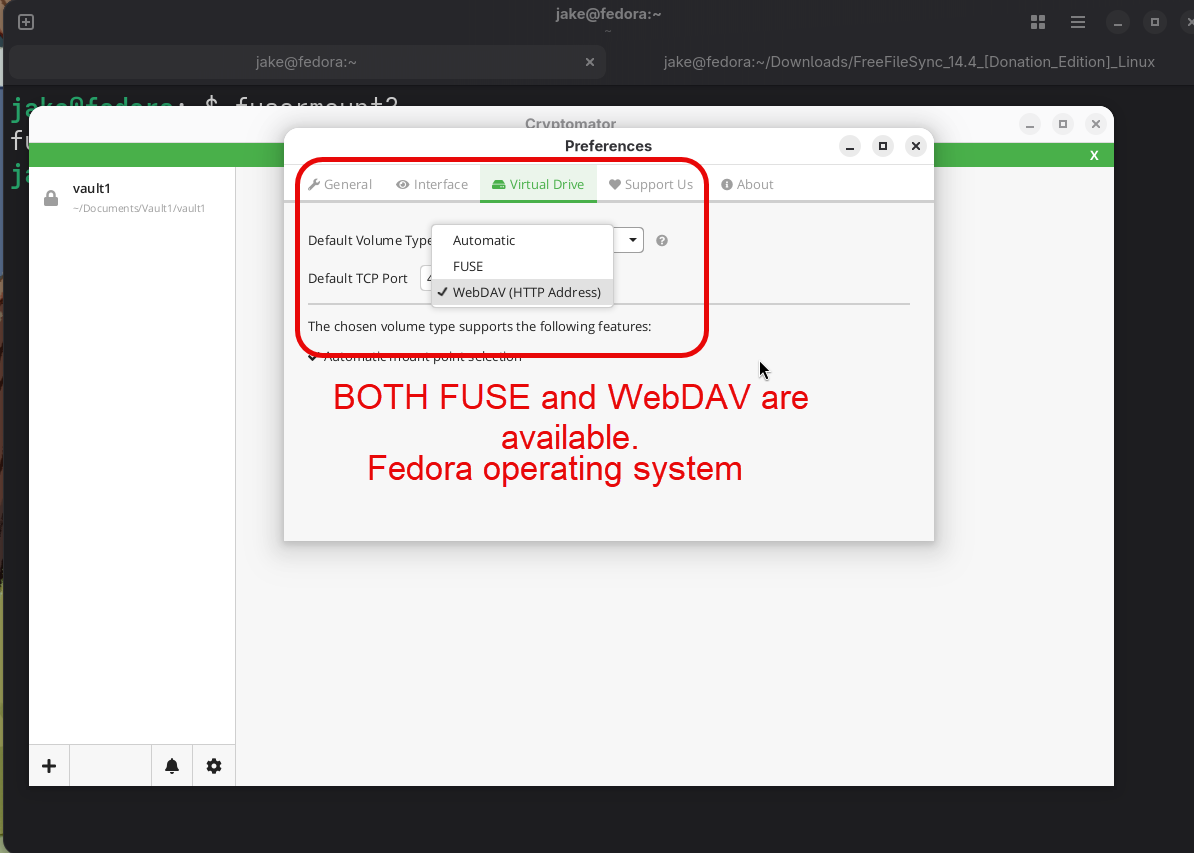
Cryptomator decrypt the Vault, but doesn’t mount it nor reveals the drive. It just gives me an address for the local WEBDav. While Fuse3 is installed there is no option for the local mounting.
OR are you using webdav as The Vault file system type? Rather than using fuse? When I do this it lets me copy a URI to where the vault is as opposed to a mount location and then I followed instructions on chat GPT to mount the web dev URL and it works fine let me know if you need the instructions.
Are you seeing this box? If so, I have the answer for you cause I got it to mount.
Here are the mounting instructions that worked for me.
Hello world.
Since (maybe…?) the last update, I have the same issue running the FlatPak on SecureBlue (Fedora based for anyone who doesn’t know), only with showing Java25. I initially thought it might be missing Java25, but … is it a window management issue? The same settings given here as the solution don’t work for me, it doesn’t change the error.