When a vault is mounted in the Files app on iOS, search is purposefully deactivated. This was a big topic around the time when Cryptomator version 2 was released. See here:
As a consequence, the fastest (and only) way to find a file is to scroll the list of files. This means that the files should be named in a way that lets you find what you are looking for. Sometimes I don’t remember how I started a file name, e.g. did I use rocks at the beginning of a file name or not? If I did not, then looking over a list that is sorted by name becomes more difficult and slow.
Here is a solution to finding all file names that contain rocks:
- Create a plain text
indexfile, copy all file names into it and save the file into the vault - Install Runestone (iOS, iPadOS)
- Access the vault with Runestone (it looks the same as in Files app)
- Open the
indexfile - In the file, search for
rocks
In Runestone, this returns a filtered view, like this:
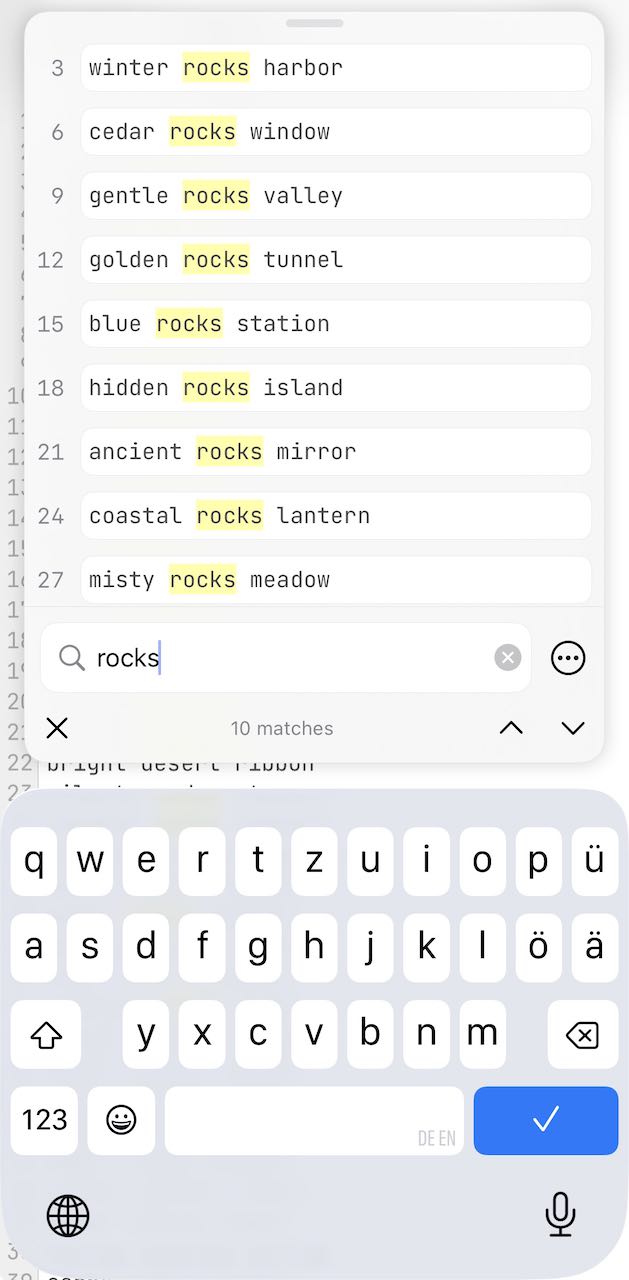
In the Files app, you don’t get a filtered view. So, that’s a nice feature of Runestone!
After that, you can return to the vault and target the file you are looking for.
By the way, on macOS, Find Any File is great for searching a vault.
I would be interested to learn whether you know about other apps (text editors) that provide a filtered view of search results.