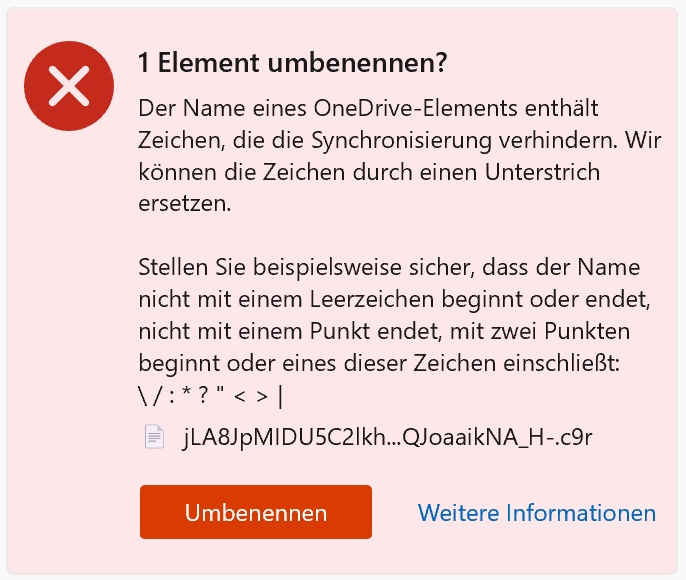
Hi, I just uploaded a new Cryptomator vault with 45 GB of data to my OneDrive, but during encryption, one file seems to have received an invalid character. I assume that I should not let OneDrive rename the 1 element, correct? But how do I find the “culprit” file so that I can upload it again in unencrypted form if necessary – or how do I solve the problem correctly?
Hi, habe gerade über einen neuen Cryptomator Tresor 45GB an Daten auf mein OneDrive geladen - aber beim Verschlüsseln scheint eine Datei ein ungültiges Zeichen bekommen zu haben - ich gehe einmal davon aus, dass ich das 1 Element nicht von OneDrive umbenennen lassen sollte, korrekt? Aber wie finde ich die “schuldige” Datei, damit ich sie im unverschlüsselten Zustand ggf noch einmal hochladen kann - bzw. wie löse ich das Problem richtig?
Hi. This should not happen as cryptomator should only create file names with valid characters.
I am using Onedrive with TBs of data on a daily basis. I never had an invalid character. Can you please identify the given file name in your onedrive client and name the invalid character? (I cant’t see an invalid character in the screenshot.)
I agree - shouldn`t happen - but did happen… I was able to identify the correct folder (with the number of entries) and the right file (with the date)… couldn’t see any “forbitted character”, deleted the file and re-copied it from another location with a different file name and the problem was solved… sadly besides the screenshot I do not have the “wrong character” and my original filename only had standard letters and numbers as all 160 other files in the same folder… so - no clue what happened… only a glitch in the matrix? don’t know… but solved for the moment…