Having problems as macfuse is no longer detected on Cryptomator GUI since I updated to 26. Are there any fixes/is this a known problem or on my end?
I haven’t updated to macOS 26 yet. But have you already installed the latest macFUSE release?
Isn't it good practice for software developers to test beta releases before a new operating system is released? Then you would have noticed that Cryptomator is almost unusable with macOS 26.
Once opened, the safe can no longer be closed.
Yes, the latest version of Fuse has been installed.
It would be great if you finally updated to macOS 26 and tested your software.
Otherwise, it's still a great product.
Yes, and as the other user said it is practically unusable as the other fuse type is unstable as anything and has corrupted a few files, WEBDAV is not good enough either.
I did update to macOS 26 eventually and have no issues with Cryptomator and/or macFUSE. Everything is running fine as before. It’s the same nuisance as every year. Just keep it up-to-date. You have to confirm all the security dialogs in System Settings after your first unlock (which will fail) and follow the instructions for a restart. After that, unlocking the vault works just fine, and then you should be good to go.
To be honest, Apple’s betas are a joke. They break a lot of stuff, they have the dumbest bug reporting system ever, and they don’t even listen to the developers, because they’re just interested in their shiny new design changes. And funnily enough, they fix the most critical things right before the final release anyway. It’s just not worth our time. I still understand that our software is our responsibility. But Apple is responsible for their software, and it’s the same every year.
I didn’t run into any problems with macOS26 - I updated macfuse before the upgrade to the latest version though, maybe that would be advisable.
Didn’t try fuse-t as it brought nothing but problems in the past neither did I test WebDAV. M2 chip … - My intel MacBook won’t get 26 so no testing there …
Writing this: it would have been wise from the Cryptomator team to give the userbase some update advice upfront - especially as macfuse stated that a new version is needed for macOS26 … not everyone is keeping track of such things and if you want to provide a consumer product you should take care of that. If you see only early adopters and nerds as your main audience, no problem but I suspect you are aiming for paying normal users to be financially viable… those won’t check such things in advance, will run into problems and will complain 
I have the same problem. It started with the update to macOS 18.7 and persists in macOS 26.0.
I uninstalled and reinstalled macFUSE several times - both via Homebrew and the installer from the website. macFUSE has been authorized in Privacy & Security. Also uninstalled and reinstalled Cryptomator without success. macFUSE just doesn’t show up in the GUI:
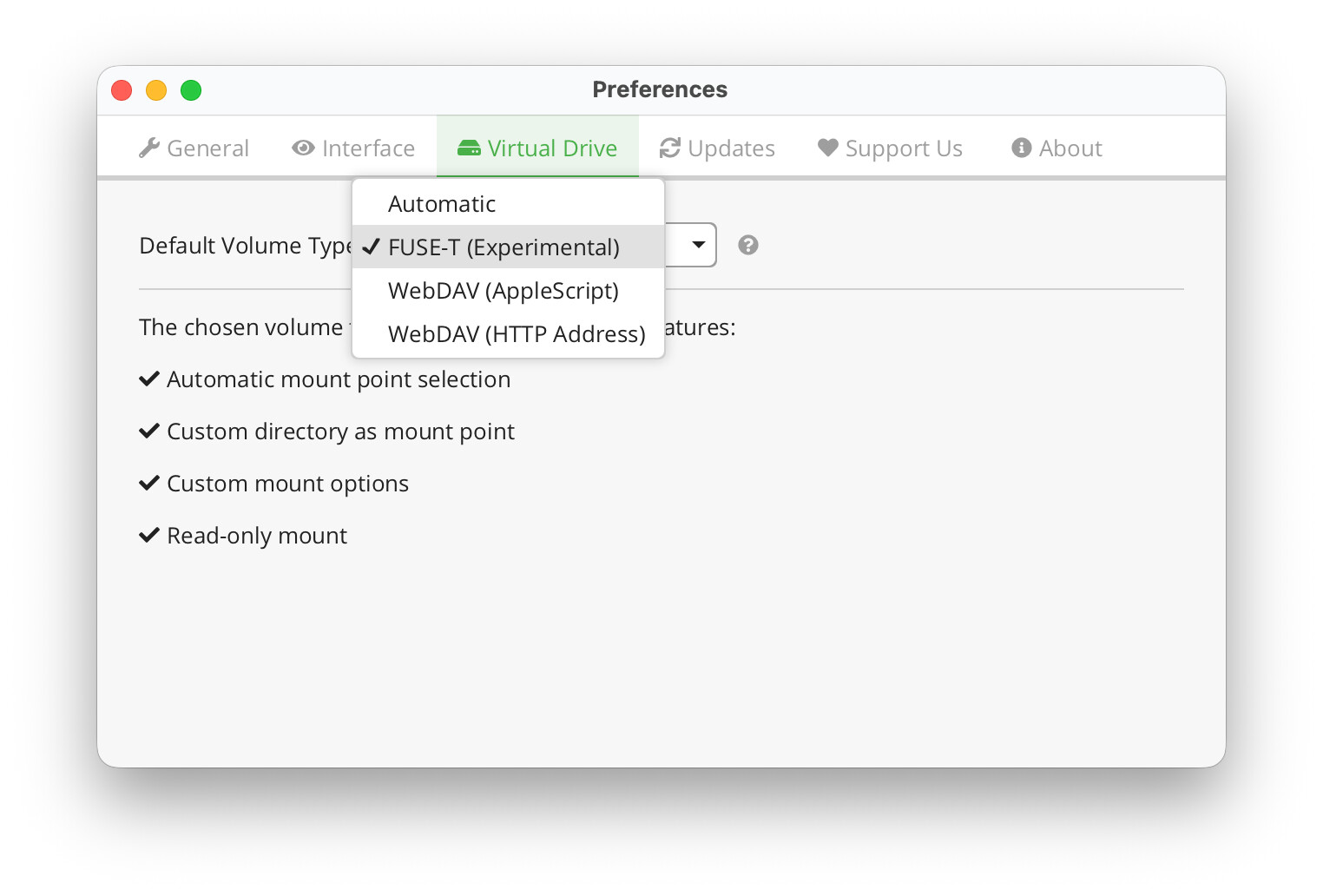
FUSE-T doesn’t support symlinks and, unlike macFUSE, macOS creates those ._-Files in FUSE-T directories which is really annoying.
Any ideas what to try next?
I would like to address the original issue by referencing this GitHub issue: [macOS Tahoe 26.0] FUSE not detected, only WebDAV available · Issue #3982 · cryptomator/cryptomator · GitHub
We are working on a beta release, hopefully until the end of this week that will fix the macFUSE detection on new installations.
Apparently, updating macFUSE isn’t an issue. But if you install the latest macFUSE version, it doesn’t install the “older” symlinks. I couldn’t find any information in macFUSE’s release notes that mentioned this breaking change.
In the meantime, you can fix it by creating the missing symlink, as mentioned in the issue:
sudo ln -s /usr/local/lib/libfuse.2.dylib /usr/local/lib/libosxfuse.2.dylib