Can I encrypt them and after “decrypting” them I get the exact folder structures back?
My intentions are to relatively frequently add files and/or update existing files in the folders while having them encrypted when not actively updating them.
Okay say you are starting from scratch and you have 500 folders and 10,000 files in a single folder off the root of your phones internal storage.
Presuming that you have enough storage space on your phone to accommodate a second copy of your data I would create a new vault on the phone in a separate location and then simply add the top folder to the vault and cryptomator will import everything that you have into a new Vault that is encrypted.
Then it is up to you if you want to remove the unencrypted files from the phone. I would absolutely have a backup copy of them somewhere because vault corruption at some point down the road is possible if anything happens to the file structure on your phone.
Then all you need to do is leave the files there and if you want to access any one of them you simply open the vault and select the file that you would like to extract to some other location temporarily perhaps..
Does this sound like how you would be intending to use C?
But since my original question I have bought and installed Cryptomator.
Unfortunately I haven’t succeded to encrypt anything. I have created a vault - that looks like what it’s supposed to be - but the import of data don’t work. (I have described the problem in my other thread.)
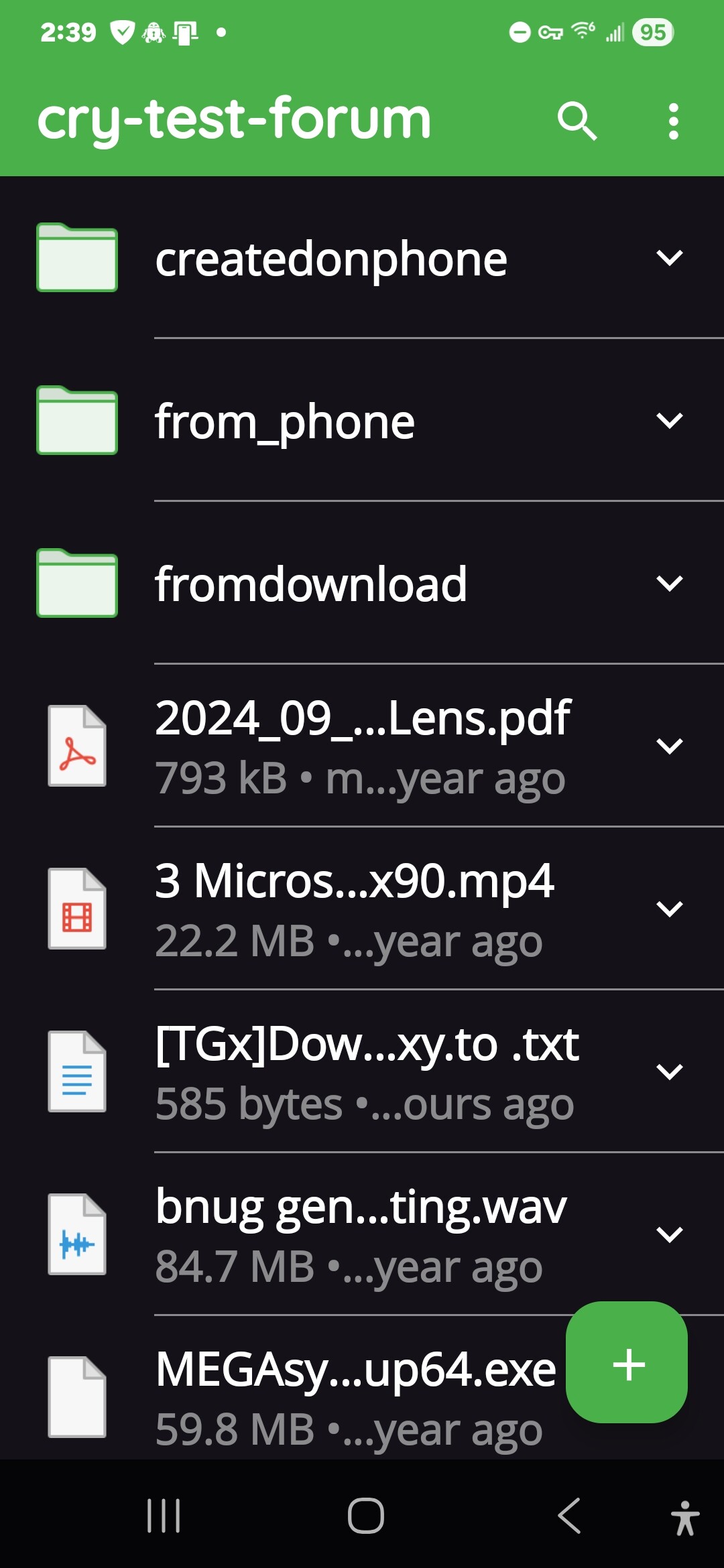
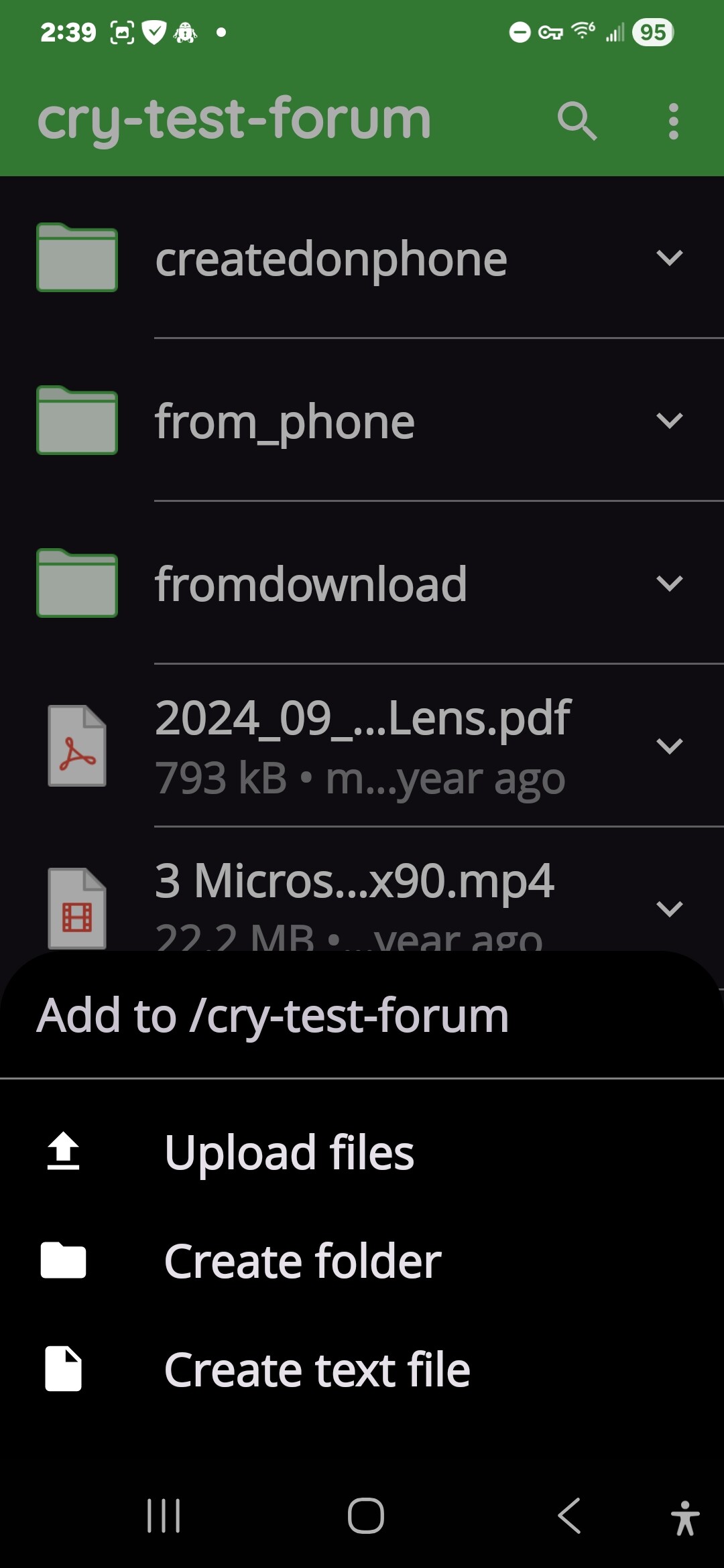
I did a little testing and some research because all of my current vaults on my phone are pointing to pre-existing ones on the cloud not local so I created a local vault and discovered no way to add to the Vault an entire tree of files and folders unless they were zipped first.
There is a way for you to create that Vault and store in at the exact file structure that you have on your phone today. The catch is it requires the phone to be plugged into your computer and use the desktop app to open and mount the Vault you created on your phone. Then you can drag and drop the entire folder structure into the vault.
Once you complete that one time you don’t need to do it again unless you want to add multiple folders again. If all you want to do is create a new folder and add some files or add files to existing folders you can do that easily but only one file at a time using the Android app.
I have encountered many utilities in my life (I’m a programmer by trade among other things) with weird quirks or limitations but this one surprises me.
Today with the processing capacity availible I don’t expected such a limitation. (I began programming 1979.) I can understand that you e g may limit an encryption app to only individual files as a way to keep the developement costs/time low. But when you do have deleloped that functionality it seems - to me - baffling to limit a mobile app to only be able to use it when connected to a pc or a cloud.
Anyway, this is a disappointment for me. It would have been nice to be informed of this before I bought it. There are many encryption apps for individual files but I need one that can handle folder structures. I can of course go the way of doing one file at a time and/or zipping but I hoped to find an app that can handle folder structures directly. I suppose I can use the builtin encryption interfaces in file managers to make it more convenient but I want to not be dependent on them and android for the data.
Btw, If you know of an encryption app that matches my needs, or partly does that, I would be grateful for a tip.
EDIT: You mention an “Add file” menu. I can’t find any such menu in the app. (And most of the other functions shown in the help docs.)
When I enter Cryptomator the only thing I see is the plus sign, nothing more. I click on the plus sign and then choose “Add an existing vault”. Then selecting “Local storage” where I find my previously created vault. If I click at the down arrow beside the vault, the only option is “Delete”.
When clicking the vault I see the typical items in a vault.
When you open C for the very first time the main menu is blank except for the plus sign but after you create a vault that Vault should be in the opening menu list of vaults that you have available to open. Is that not the case?
Each successive time that you run the software the existing Vault should be on the main screen. You tap it and unlock it with the password that you gave it and then you will see the plus sign that I am referring to.
You have to have the Vault open and unlocked in order to upload files to the vault.
I’ve never tried uploading a video but what you can do is use the free sharing server for media. Upload the video there and they give you a link to paste here.